Quick start
Welcome to PREDA-Toolchain. Before learning how to use it, please refer to the Installation Guide document to install PREDA-Toolchain.
After installing the PREDA-Toolchain, it is important to become familiar with it, including how to write a smart contract, compile the smart contract, and write a test script to test the smart contract, by going through the following contents:
- Write a smart contract
- Compile the smart contract
- Write a test script to test the smart contract
Write a smart contract
There are some example smart contracts and test scripts in the installation package for learning and reference.
Next, we will take the Ballot.prd as an example to demonstrate.
Ballot.prd is a voting smart contract written in PREDA language, it implements voting in parallel on a shard blockchain, of course, we still have a lot of questions for a real practical voting system, but at least we showed how to implement voting logic through PREDA. It has the following functions:
- Initialize proposals
- Vote
- Collect votes
Initialize proposals
@address function init(array<string> names) export {
    //__debug.assert(controller == __transaction.get_self_address());
    __debug.assert(!is_voting());
    relay@global (^names){
        __debug.print("global: ", names);
        for (uint32 i = 0u; i < names.length(); i++) {
            Proposal proposal;
            proposal.name = names[i];
            proposal.totalVotedWeight = 0u64;
            proposals.push(proposal);
        }
        current_case++;
        last_result.case = 0u;
        last_result.topVoted = "";
    }
    __debug.print("EOC init: ", names);
}
A relay statement is similar to a function call, except that the call is asynchronous. The call data is packaged in a so-called "relay transaction" and relayed to the target address for execution. The relay statement itself returns immediately.
vote
@address function bool vote(uint32 proposal_index, uint32 case_num) export {
    if(case_num == current_case && case_num > voted_case && proposal_index<proposals.length())
    {
        voted_case = case_num;
        __debug.print("Vote: ", proposal_index);

        /*
        relay@global (^case_num, ^proposal_index, ^weight) {
            if(case_num == current_case)
                proposals[proposal_index].totalVotedWeight += weight;
        }*/
        votedWeights.set_length(proposals.length());
        votedWeights[proposal_index] += weight;
        return true;
    }

    __debug.print("Vote: ", proposal_index, " failed");
    return false;
}
Collect votes
@address function finalize() export {
    //__debug.assert(controller == __transaction.get_self_address());
    __debug.assert(is_voting());
    relay@global (){
        // ... maybe do something else before scatter-gathering
        __debug.print("In global");
        shardGather_reset();
        relay@shards (){
            // ... maybe do something in each shard
            __debug.print("Shard Vote: ", votedWeights);
            relay@global(auto shardVotes = votedWeights) {
                //BEGIN: code for scattering
                for(uint32 i=0u; i<shardVotes.length(); i++)
                {
                    proposals[i].totalVotedWeight += uint64(shardVotes[i]);
                }
                //END

                if(shardGather_gather())
                {
                    __debug.print("votes: ", proposals);
                    //BEGIN: code for gathering
                    last_result.case = current_case;
                    uint64 w = 0u64;
                    for(uint32 i=0u; i<proposals.length(); i++)
                    {
                        if(proposals[i].totalVotedWeight > w)
                        {
                            last_result.topVoted = proposals[i].name;
                            w = proposals[i].totalVotedWeight;
                        }
                    }

                    __debug.print("result: ", last_result);
                    //END
                }
            }
        }
    }
}
For more syntax details, please refer to PREDA Language Specification document.
Compile the smart contract
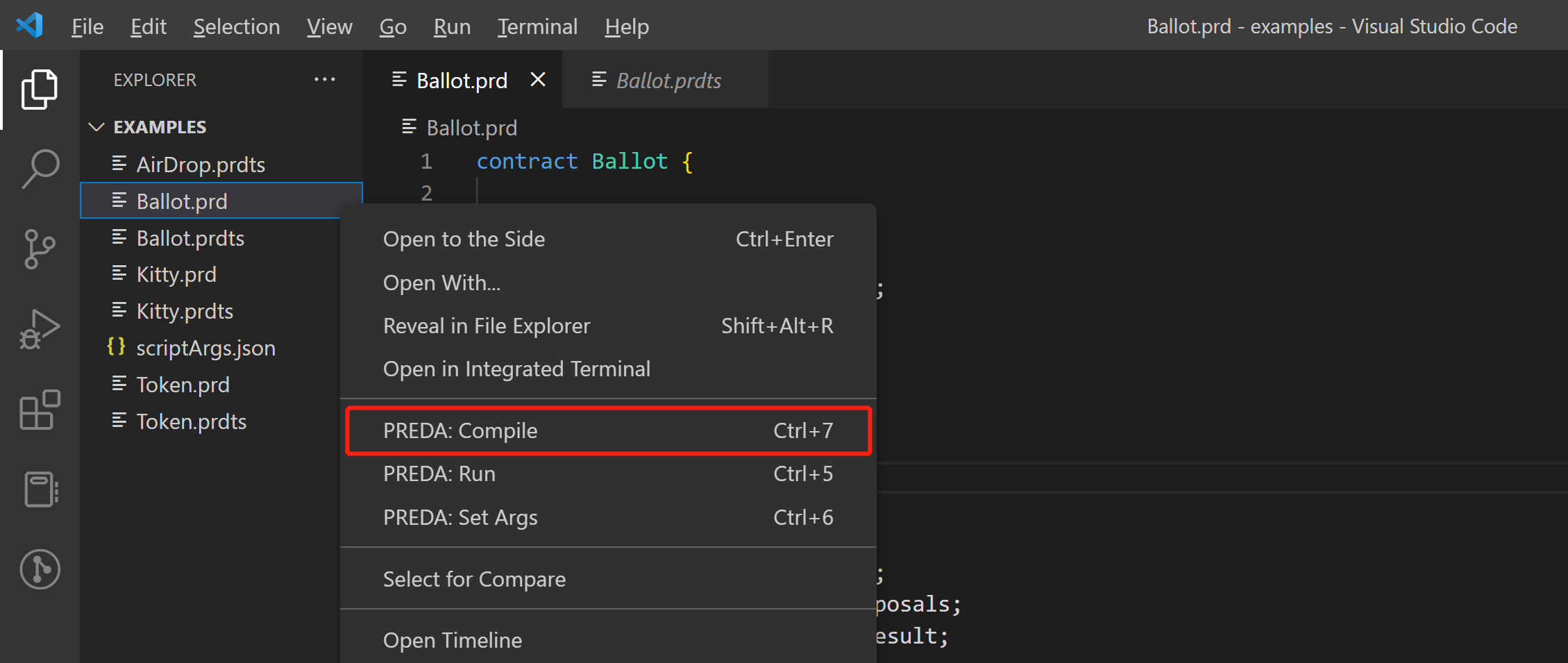
Right click on the contract file, select the PREDA:Compile command to compile the smart contract, this process will check the contract syntax.
Write a test script to test the smart contract
PREDA-toolchain provides a scripting language for testing smart contracts easily, it mainly includes the following functions:
- deploy smart contract
- set on-chain states
- call a smart contract function
- smart contract performance testing
- chain info visualization
Now we will take the Ballot.prdts as an example to demonstrate.
Write a test script
This is the code details of Ballot.prdts
// set random seed, default value is timestamp
random.reseed

// allocate some address for the test
allocate.address $~count$

// set gas limit
chain.gaslimit 256

// deploy contract
chain.deploy @1 Ballot.prd

// log
log.highlight Token test
log Perparing test transactions

// set state, prepare for the test
state.set address.Ballot @all { weight:$random(1, 20)$, voted_case:0 }

log.highlight Ballot test: Step 1

// call Ballot.init at address_0
txn1 = Ballot.init @0 { names: ["Spring", "Yarn", "Combat"] }

// run the chain
chain.run
// print chain info
chain.info

log.highlight Ballot test: Step 2
// call Ballot.vote at all address
txn2[] = Ballot.vote @all { proposal_index: $random(0,2)$, case_num: 1 }
// print chain info
chain.info

log.highlight Ballot test: Step 3
// call Ballot.finalize at address_0 to collect votes
txn3 = Ballot.finalize @0 {}

chain.info
log Executing

// start stopwatch
stopwatch.restart
// run the chain to excute transactions
chain.run
// stop stopwatch to report performance
stopwatch.report

chain.info

// address visualization
viz.addr @random
viz.addr @3 Ballot
viz.addr @all

// txn visualization
viz.txn txn1
viz.txn txn2[0]

viz.section Finalize
// trace visualization
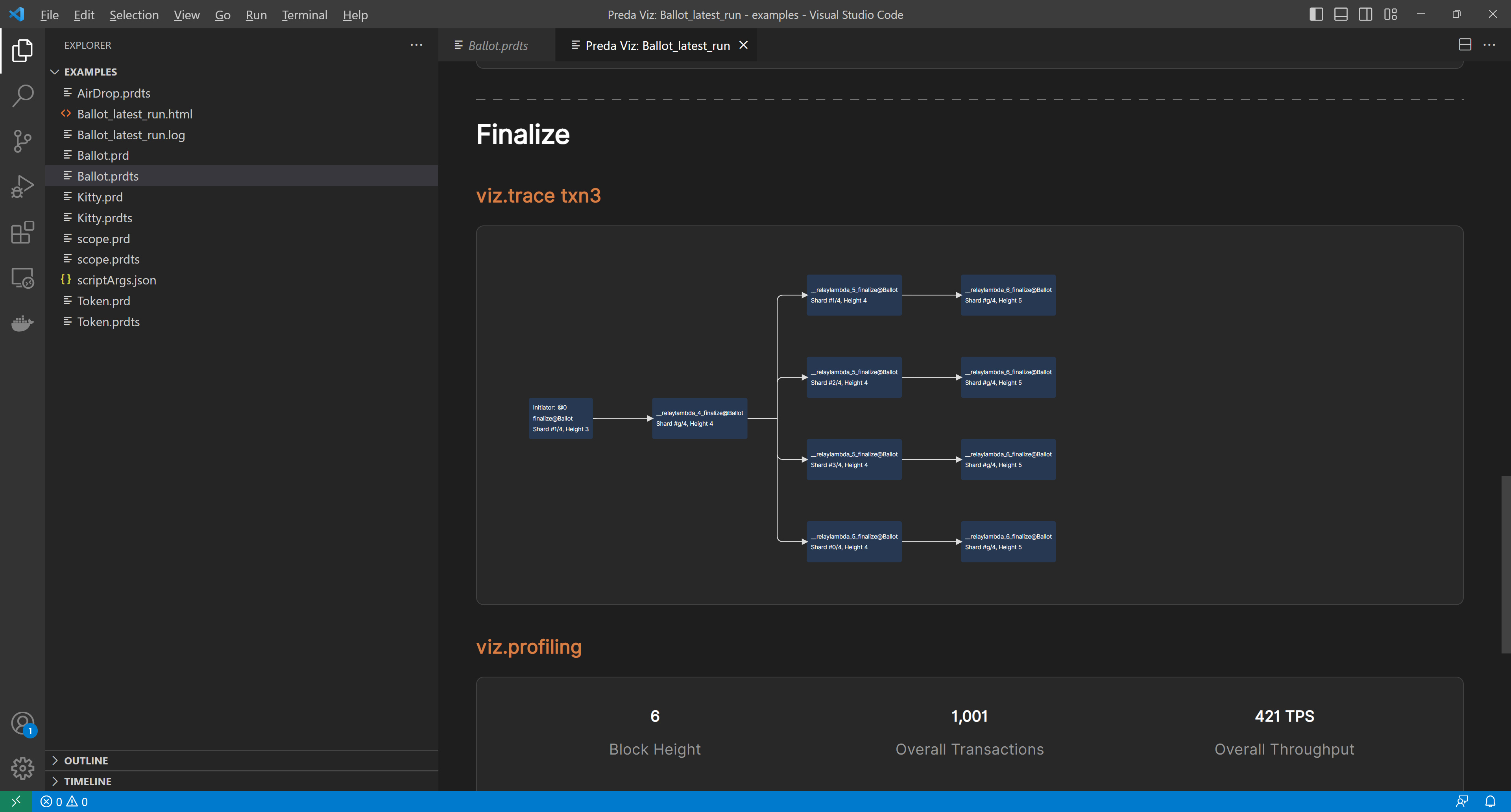
viz.trace txn3

// profiling visualization
viz.profiling
For more syntax details, please refer to PREDA test script syntax Chapter.
Set input parameters of the test script
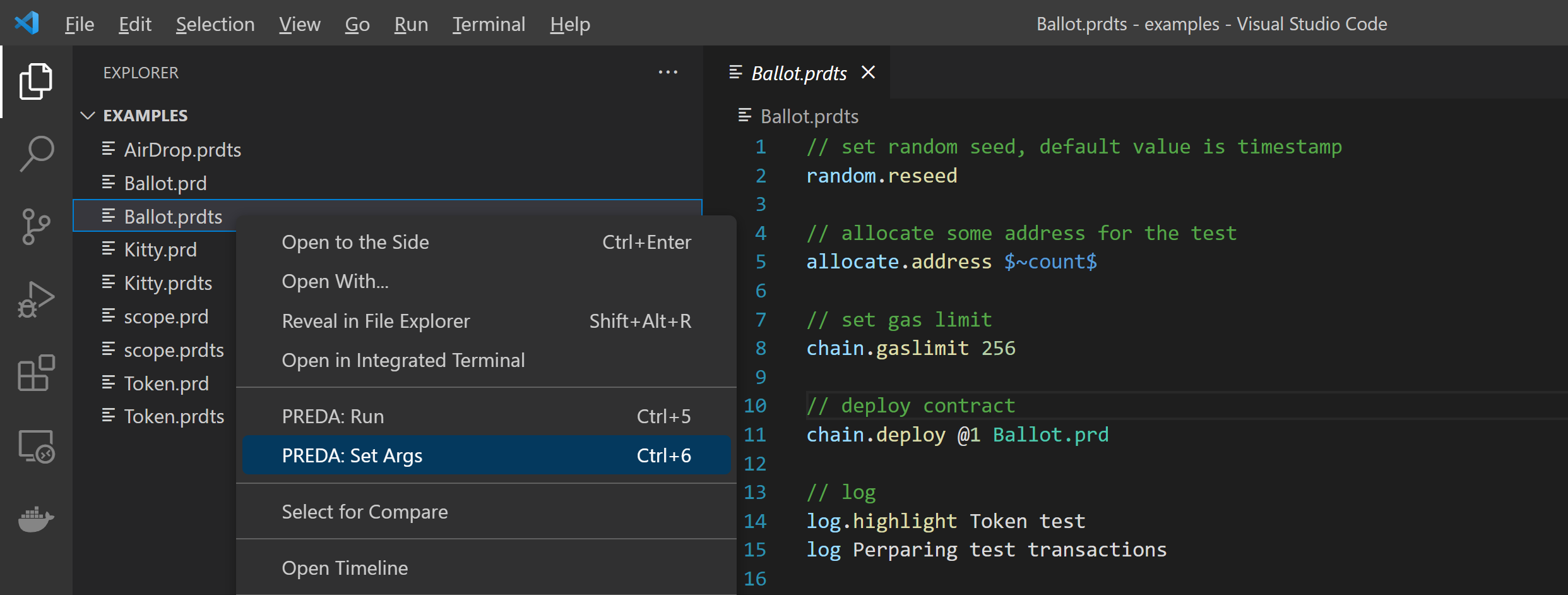
Right-click on the scipt file, and select PREDA:Set Args
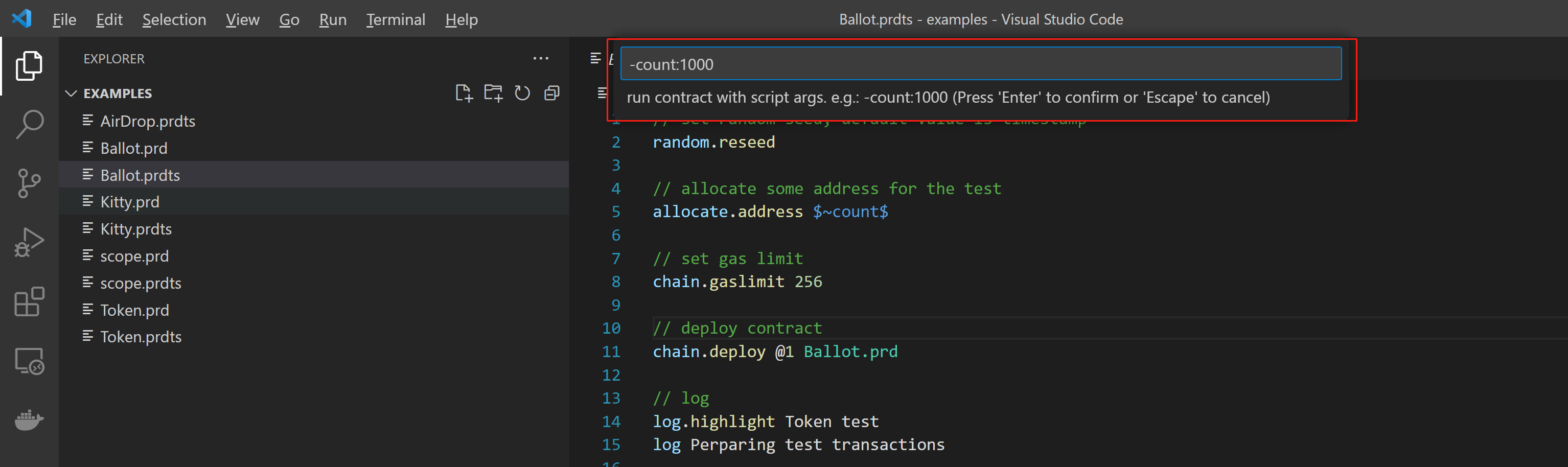
Enter the parameters in the pop-up box and confirm, PREDA-toolchain will execute the script with the set input parameters.
Run the test script
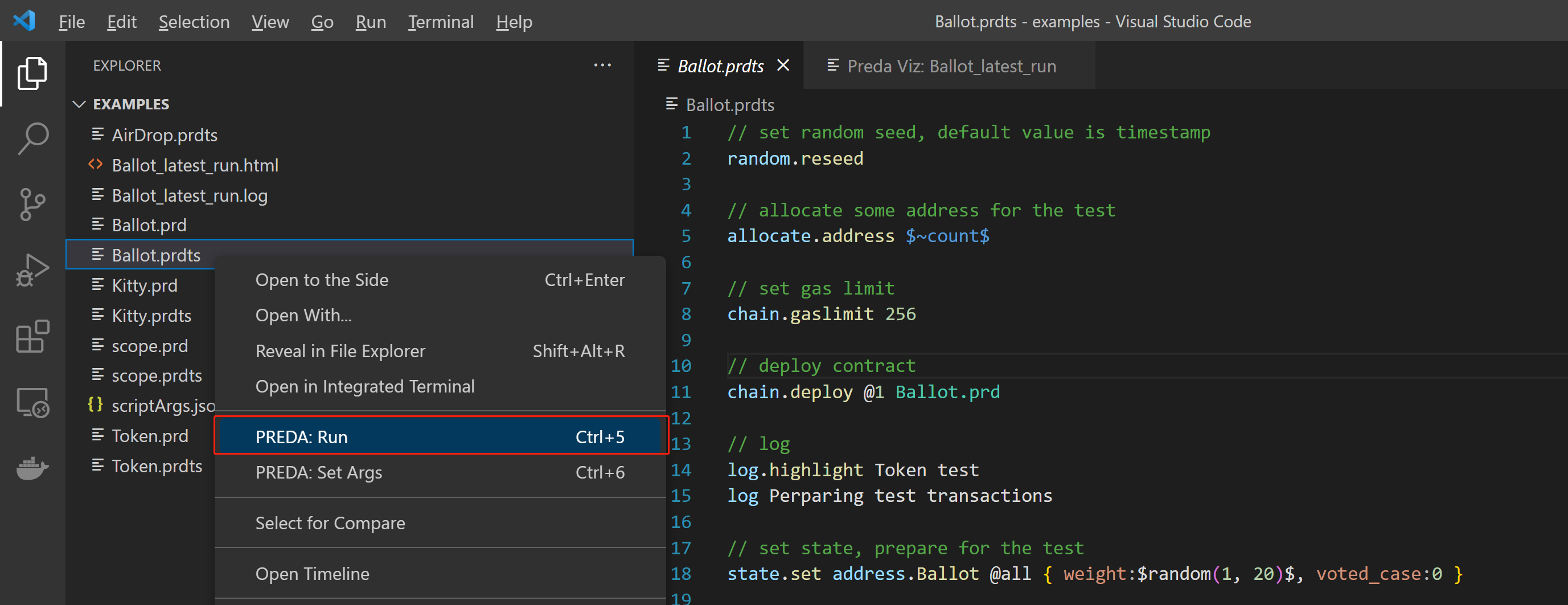
Right click on the script file, and select PREDA:Run, PREDA-toolchain will execute the test script.
Chain info visualization
The PREDA-toolchain will provide a visual interface for chain information after execute the test script.